I Can't connect/Service Offline
I can’t connect?
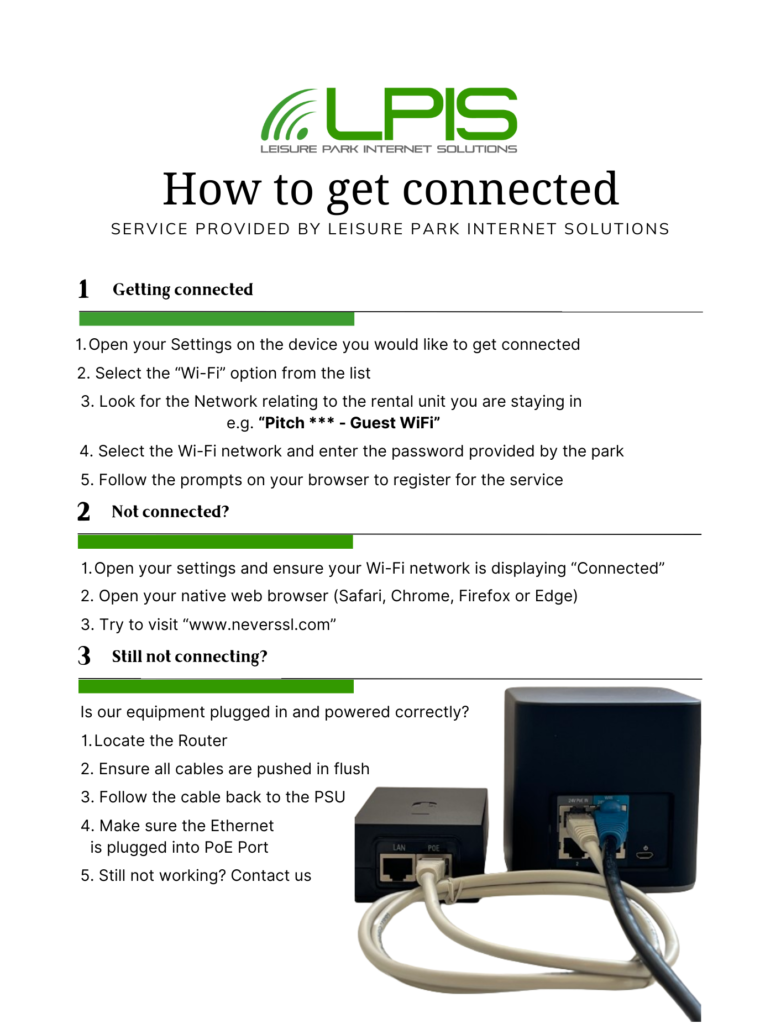
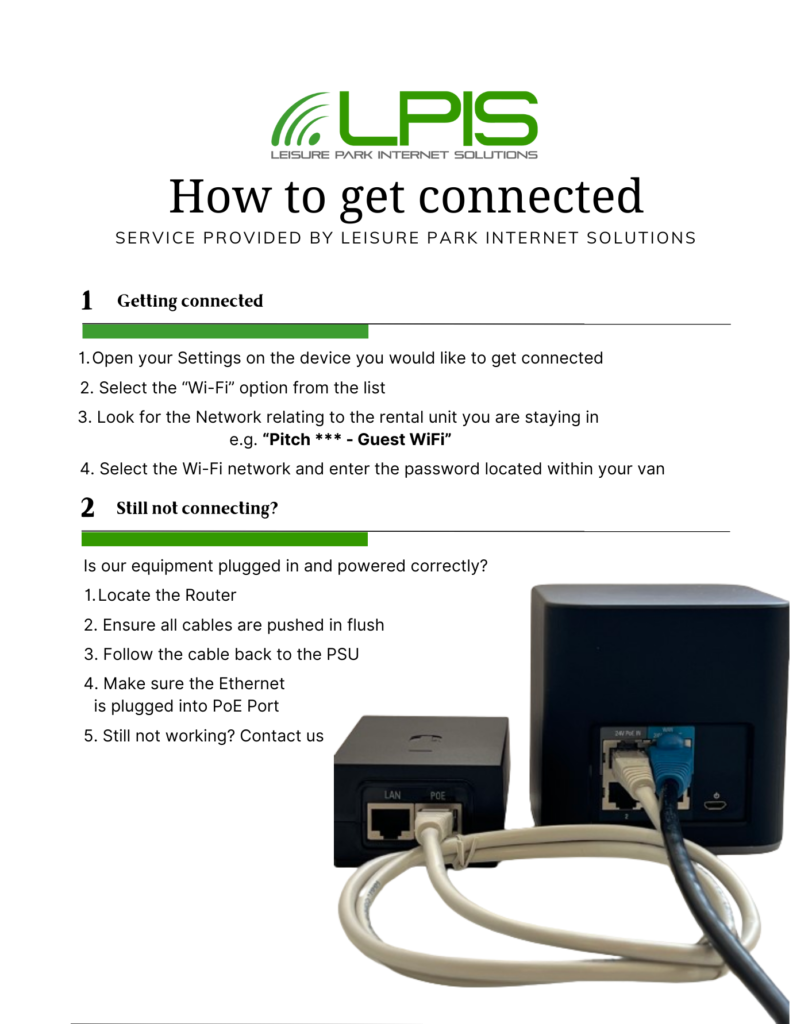
When checking your connection please make sure that the configuration of kit is the same as the images below. If the checks are OK please power cycle the equipment, this can be done by removing the grey cable from the PoE device for 60 seconds. When connecting back up make sure to listen for the “click” noise confirming the cable is seated correctly, all the equipment should be back online within 5 minutes.


My internet service is slow and or buffering?
As above sometimes your service may have been running for too long, we advise rebooting at least every 4-6 weeks (please follow the above rebooting directions). Often this should resolve your issue, if not please call us during our opening times Mon-Sat 9:30-5:30 and between Mar-Oct Fri 9:30-8:30 on 01423 295001, this will be picked up by our Tech Team and we’ll get back in touch at our earliest opportunity.
A preferred speed test site for LPIS is “fast.com”, it would help trying to resolve your issue if a screenshot or image of the speed test result from this site could be added to the email sent to LPIS at the time of raising the fault with your connection.
I’m on holiday, we’re struggling to connect to the internet?
Please check the following link about connecting to LINK (I CAN’T CONNECT) if once this has been actioned and during opening hours please give us a call as we can resolve a lot quicker, if out of hours please go to our contact page and send a support email [email protected]
Premium HireFleet (Free WiFi) Help Guide
HireFleet (Paid WiFi) Help Guide